THE PROBLEM
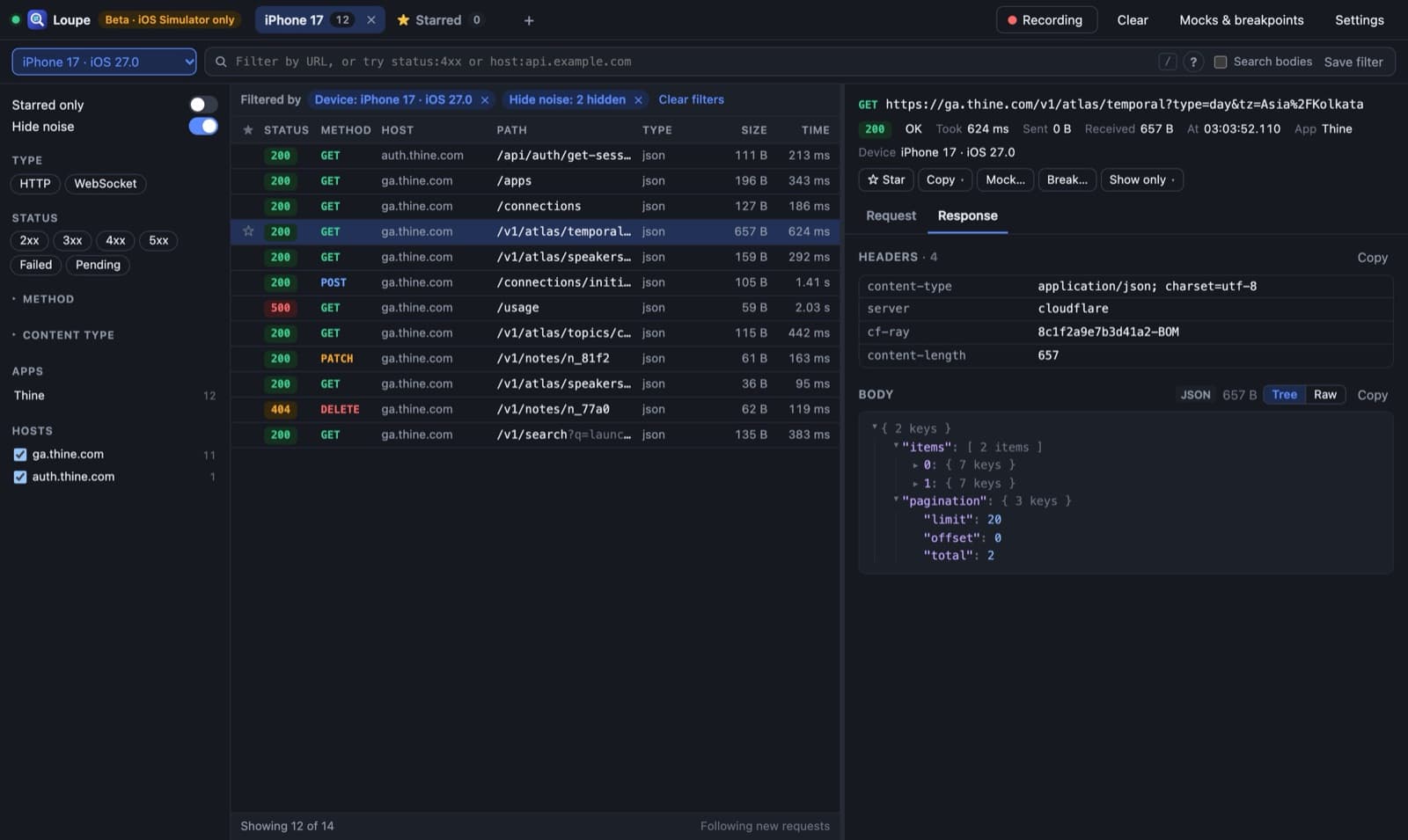
The screen is empty. Was it the server, the network, or the if you wrote at 2 a.m.? The usual answer is adding print statements to a dozen files, rebuilding, and squinting at the Xcode console.
With Loupe you open the app and click the red row. The 500 is right there, with its headers, its body and a cURL command you can paste into the backend thread.
WHAT IT DOES
WATCH
- Live List: Every request and WebSocket with status, size and timing, tagged with the app and simulator that sent it.
- Readable Bodies: JSON and MessagePack as trees, images as images, forms as tables, everything else as text or hex.
- WebSockets: Messages one by one, filtered by direction, event name or text.
FIND
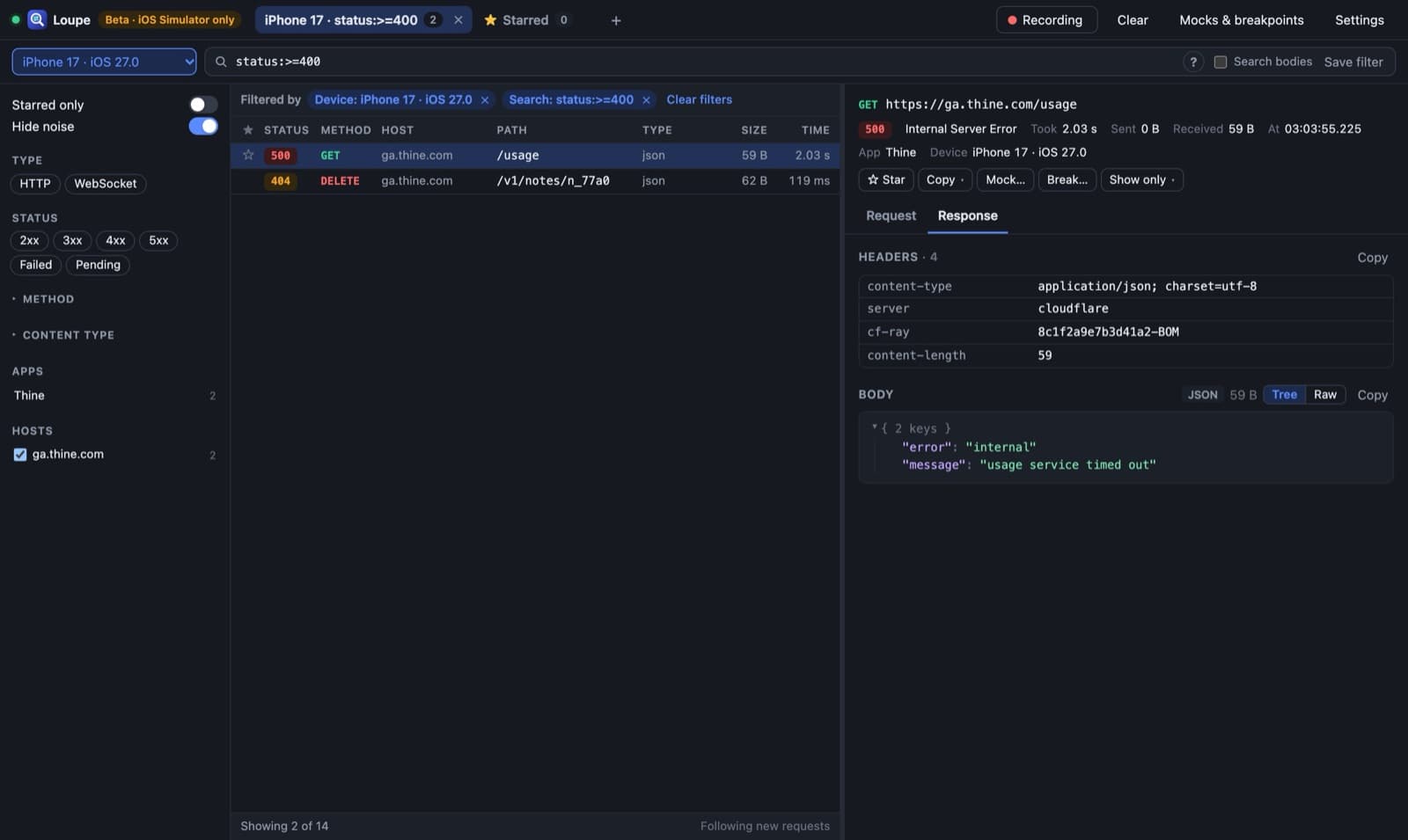
- Field Search:
status:>=500,method:post,put,time:>1s,-host:*sentry*. Wildcards, exclusions and "or" built in. - Hide Noise: Analytics, crash reporting, images and fonts stay out of the way.
- Nothing Hidden: A bar above the list always says what's filtering it, with a ✕ on each.
CHANGE
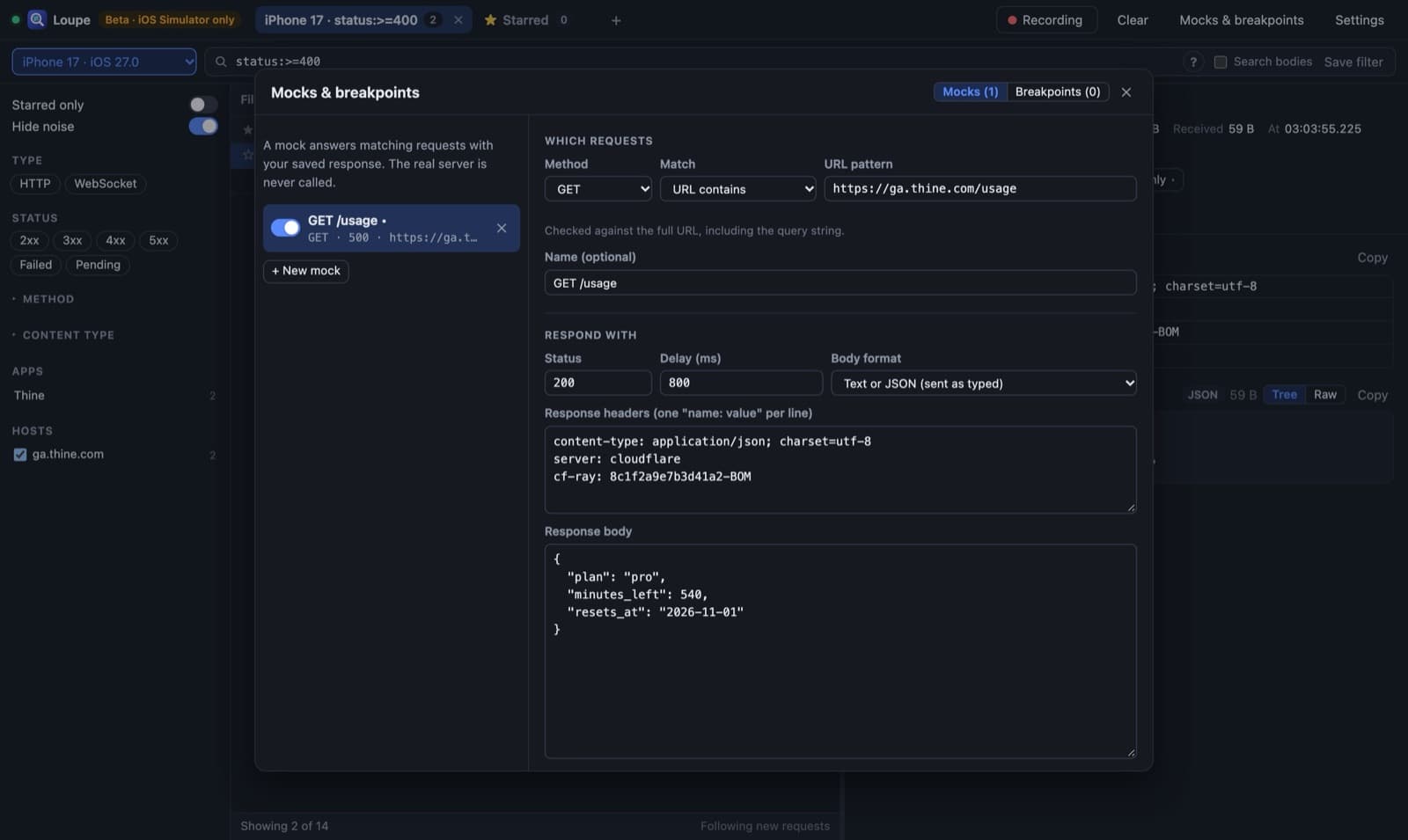
- Mocks: Answer matching requests with a saved response, with an optional delay for testing loading states. The server never hears about it.
- Breakpoints: Pause a request before it leaves, or a response before the app gets it. Edit it, then send it on or kill it.
- MessagePack as JSON: Binary bodies are edited as JSON and packed again on the way out.
HOW IT WORKS
mitmproxy Add-on
The Simulator uses the Mac's proxy setting, so pointing it at a bundled mitmproxy is enough to see everything
Who Sent It
For each connection, lsof finds the process and walks up its parents to the simulator. Anything outside a simulator passes through untouched
No-Build UI
Plain HTML, CSS and JavaScript modules, wrapped in an Electron app that sets up certificates and the proxy for you
Local Only
Everything listens on 127.0.0.1 behind a random token. Quitting turns the Mac's proxy back off
WHERE IT'S AT
Loupe is in beta (v0.9) and still moving. It works with the iOS Simulator only for now; real iPhones and Android are next. Apps that pin their certificates can't be read, and WebSocket messages can be watched but not yet edited.
The download is for Apple Silicon Macs and isn't signed yet, so the first time, right-click Loupe and choose Open.